What is MySecretFolder?
MySecretFolderTM is a powerful yet easy
to use Windows program that you can use to hide your private folder (and
the files it contains) from other users of your computer, and to lock
the folder with a password.
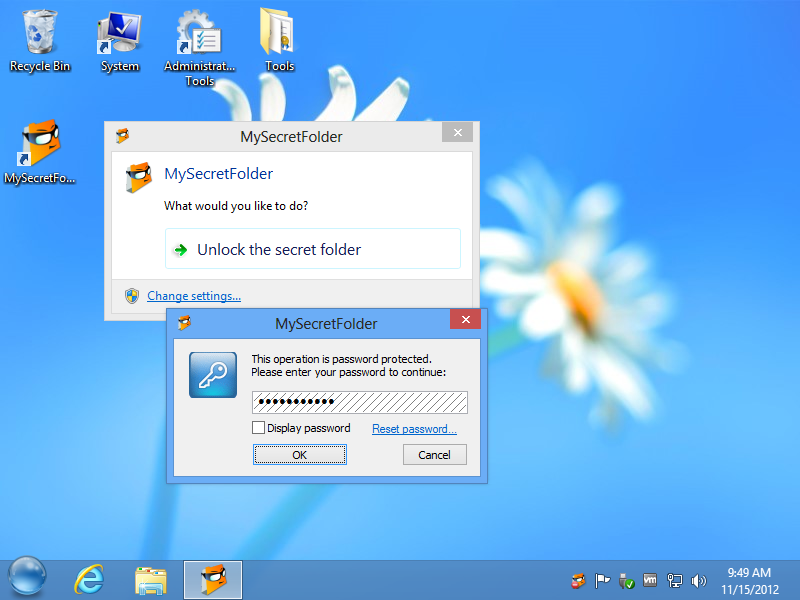
MySecretFolder software screenshot

What you can do with MySecretFolder:
Unlike the built-in security of Windows, MySecretFolder does not
require your hard drive to be NTFS-formatted: MySecretFolder can protect
a folder on both FAT/TAF32 and NTFS disks.
Is MySecretFolder hard to use?
MySecretFolder is extremely easy to use, you don’t have to be a
computer professional to start using it in just a few minutes. Simply
download
the installation file, run it to install MySecretFolder on your
computer, then select the folder you want to protect from other users,
choose a password, and you are ready to go! Click on the
Protect
button and the folder will become hidden or password protected. Only
you (or someone who knows the password) can make the protected folder
visible or unlocked.
MySecretFolder is compatible with:
- Windows® 8 (32- and 64-bit)
- Windows® 7 (32- and 64-bit)
- Windows® Vista (32- and 64-bit)
- Windows® XP (32- and 64-bit)
- Windows® 2000



No comments:
Post a Comment